You make a pin. Someone saves it. A week later, a stranger clicks it and buys the thing you linked to. You never sent a message or made a video. That is the dream of affiliate marketing on Pinterest, and it is why so many beginners want it.
Is it real? Yes. Is it easy money? No. In this guide I’ll show you how it works, what the rules say, how to set it up step by step, and where people get stuck. I’ll tell you the downsides too, because you deserve the full picture before you spend your time.
Why Pinterest Is Different From Other Social Sites
Most social sites are about friends and what happened today. Pinterest is closer to a search engine. People go there to plan things: a kitchen, a trip, a budget, a side income. Many of them are already thinking about what to buy.
Pins also last. A post on a fast-moving feed can disappear in a day. A pin can keep getting seen for months, sometimes longer, because people keep searching and saving. That is the big reason bloggers like it. But “can” is not “will.” Results vary a lot, and nobody can promise you a number.
What Affiliate Marketing Means (In Plain Words)
An affiliate link is a special link that tells a company you sent a customer. If that person buys, the company pays you a small commission. The price stays the same for the buyer. Learn more about how this works in our guide to how to start affiliate marketing.
Can You Use Affiliate Links on Pinterest?
Yes, but with rules. I’m not a lawyer, and Pinterest updates its rules, so please read the source pages yourself. Here is the short version of what I found.
- Pinterest’s Community Guidelines forbid spam. That means repetitive, tricky, or low-value pins made only to earn money. They also warn against links that redirect people in confusing ways. Pinterest says people should be able to guess where a link will take them.
- Link shorteners and redirects can get blocked. Linking straight to the page you mean is the safest choice.
- You must tell people when a link earns you money. In the US, the FTC says the notice should sit right with the recommendation, in plain words. Burying it on an About page is not enough. Pinterest also has its own paid-partnership and commercial content rules, so check them before you start.
- Pinterest says it is not part of your agreement with any affiliate program. The program’s own terms decide how and where you may share its links. Some do not allow direct links in some places, so read them.
One more thing. A pin that goes straight to a product page, with nothing of your own, is the kind of thing that gets low reach. Most beginners do better sending people to their own blog post first. Your post can help the reader, and the affiliate link sits inside it.
Direct Links or Your Own Blog?
You have two main paths:
- Pin to your blog post. The pin links to your own helpful article, and the article contains the affiliate links. This builds something you own. It is slower, but it is steadier.
- Pin straight to the product. It is faster to set up. It is also easier to get wrong, and Pinterest may limit pins that look like spam. If you want to go this way, read affiliate marketing on Pinterest without a blog first.
If you are not sure, start with the blog. You can always test the other way later.
How to Start, Step by Step
- Pick a topic you can stay with. Home, food, money, planning, wellness, and crafts all do well on Pinterest. Pick something where people buy things. Our guide to niches can help you choose.
- Open a free Pinterest business account. It gives you analytics. Our Pinterest for business checklist walks you through it.
- Claim your website. This connects your pins to your blog and lets you see which ones get clicks.
- Join one or two affiliate programs. Not ten. See the starter list below.
- Write one useful post first. A good guide, a comparison, or a simple list. Add your affiliate links and a clear note about them.
- Make pins for that post. Use tall images and clear words. Try two or three designs.
- Write titles and descriptions people would search for. Use plain phrases, like “easy meal plan for one week.”
- Check your numbers after a few weeks, not a few days. Look at outbound clicks, not just saves.
Pin Sizes and Limits (Checked on Pinterest’s Own Page)
Specs change, so I checked Pinterest’s product specs page in October 2026. It recommends a 2:3 shape, for example 1000 by 1500 pixels. Pins wider than that can get cut off in feeds. A title can be up to 100 characters, but on some devices only the first 40 may show, so put the key words first. A description can be up to 800 characters. Descriptions do not show in the home or search feed, but they help Pinterest understand what your pin is about.
Because the description may not be seen, put your affiliate notice in your blog post, where the links actually are. For pins that link straight to a product, put a short notice on the image or near the start of the title.
A note on links: I’m not an affiliate for any of the programs below, so nothing on this page pays me either way.
Affiliate Programs Beginners Often Start With
- Amazon Associates. Easy to find products, but commissions are small, and you must follow their rules closely.
- Awin. ShareASale, which older guides often mention, has now moved into Awin. If an old post tells you to sign up at ShareASale, use Awin instead.
- ClickBank. Mostly digital products. Quality varies a lot, so test any product yourself before you recommend it.
- Wayfair partner program. A fit if you write about home and decor.
Terms, commission rates and cookie lengths change often. Always read the program’s own page before you join. If “cookie” is a new word, see what cookie duration means. For more options, try our list of affiliate programs for beginners.
What Makes a Good Pin
A good pin is simple. It has one clear picture, a few big words, and a promise the blog post keeps. “5 Easy Weeknight Dinners” beats a pretty photo with no words. Keep the text large enough to read on a small phone screen, and leave plenty of space around it.
Make a few different pins for the same post, with different pictures and different titles. Pinterest likes fresh pins, and you will learn which one people click. But do not post twenty near copies on the same day. That looks like spam, and it can hurt you.
Most of all, make it honest. If the pin says “free printable” and the page is a sales pitch, people will leave fast, and that tells Pinterest your pin is not helpful.
The Honest Downsides
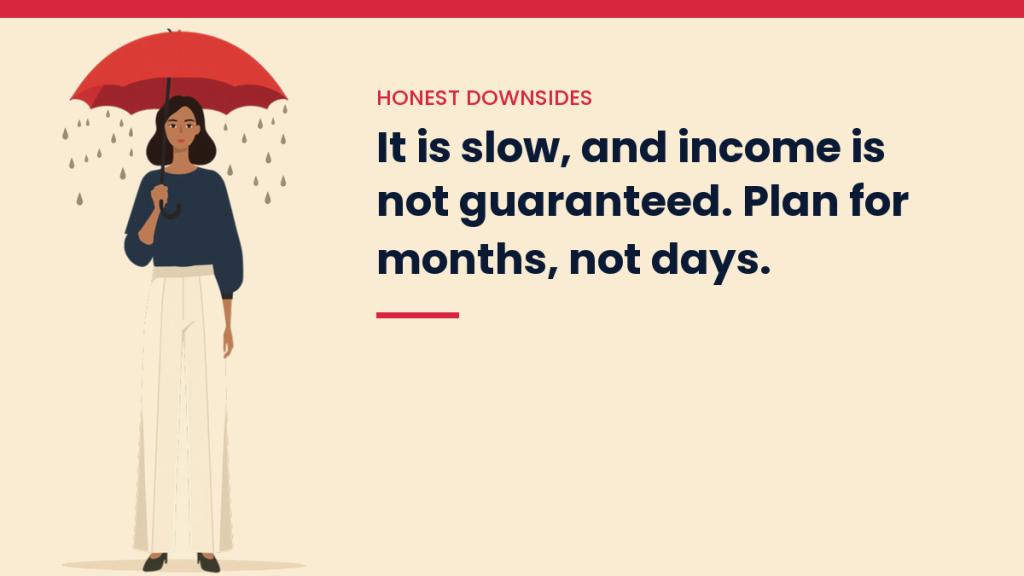
- It is slow. A new account may need months before pins reach many people. Be wary of anyone who promises results in days.
- Income is not guaranteed. Many people try and earn nothing. Posts that claim big monthly numbers rarely show proof, so treat them with care.
- Rules can change. Pinterest and the affiliate programs can both change terms. Your own blog and email list protect you if that happens.
- Spammy pins hurt you. Posting the same pin over and over, or many near copies, can get your reach cut or your account flagged.
- You still need trust. If you recommend something you have not looked at, readers will notice. Only recommend what you would tell a friend about.
Common Mistakes to Skip
- Using link shorteners or tricky redirects.
- Skipping the disclosure, or hiding it at the bottom.
- Joining many programs and promoting none of them well.
- Judging a pin after two days.
- Making pins with tiny text that no one can read on a phone.
- Copying another person’s article or images.
How to Tell If It Is Working
Open your Pinterest analytics and look at outbound clicks first. Then check your affiliate dashboard for clicks and sales. If pins get views but no clicks, change the image and the title. If they get clicks but no sales, the problem is usually the blog post or the product. Change one thing at a time, so you know what helped.
Questions People Ask
Do I need a blog? No, but it makes things steadier. See the no-blog guide linked above for the trade-offs.
Do I need to pay for anything? Pinterest and most affiliate programs are free to join. Paid tools are optional. Be careful with anyone selling a course that promises fast money.
Can AI help? It can help with ideas, outlines and pin titles. You still need to check facts and make the content useful. See how to use ChatGPT for affiliate marketing.
Your Next Step
Pick one topic and one program. Write one helpful post. Make three pins for it. Then wait and watch. That is a small start, and it is enough. If you want to see how this fits into a bigger plan, read our content-to-income system.
You Might Also Like
- Affiliate Marketing on Pinterest Without a Blog
- Is Pinterest Good for Affiliate Marketing?
- Pinterest for Business: How to Get Started
- How to Start Affiliate Marketing
- 15 Affiliate Programs for Beginners
- How to Use ChatGPT for Affiliate Marketing
- The Content-to-Income System
Discover more from VivaMomentum
Subscribe to get the latest posts sent to your email.