The short answer: if you have no audience yet, start on a marketplace that brings its own buyers, such as Etsy for printables and templates. If you already have readers or followers, a storefront with no monthly fee, such as Payhip or Gumroad, lets you sell for a percentage of each sale and upgrade later. Once sales are steady, a flat monthly plan (Sellfy, or Payhip’s paid plans) usually costs less than a percentage of every sale.
If you’ve made a digital product — or you’re about to — the next question hits fast: where do I actually sell it?
There are a lot of options in 2026, and honestly that’s both good and overwhelming. Gumroad, Payhip, Etsy, Stan Store, Ko-fi, Beacons, Sellfy — the list keeps growing. Every platform makes big promises. And most of them are leaving out some key detail that matters to you.
If you are building passive income through digital products, the platform choice matters, especially at the beginning when every fee is money out of your pocket before you’ve earned it back. This guide is meant to save you the confusion. Below I’ve compared 12 platforms, what they actually cost, who they’re good for, and what nobody’s really telling you about each one.
Not sure what to sell yet? Start with these 20 digital products that sell online before you pick your platform.
Jump to a Platform
- 1. Etsy — Marketplace for Printables & Templates
- 2. Payhip — Free Plan With All Features
- 3. Gumroad — Simple Setup, Zero Monthly Fee
- 4. Stan Store — Good for Social Media Creators
- 5. Beacons — All-in-One Creator Hub
- 6. Ko-fi — Good for Artists & Casual Sellers
- 7. Lemon Squeezy — Good for Software & Digital Tools
- 8. Sellfy — Good for Scaling Consistent Revenue
- 9. Podia — All-in-One for Courses + Downloads
- 10. Creative Market — Good for Design Assets
- 11. Teachers Pay Teachers — Good for Educators
- 12. WooCommerce — Good if You Already Have a WordPress Site
1. Etsy — Marketplace for Printables & Templates
If you want traffic coming to your listings without having to build an audience first, Etsy is a sensible starting point in 2026. It is a large marketplace, and buyers there search Etsy specifically for digital planners, Canva templates, printable wall art, SVG files, and worksheets. You list your product, optimize your title for Etsy search, and buyers find you — no social media following required.
The fee stack is real though: $0.20 per listing and a 6.5% transaction fee, plus a payment processing fee that depends on your country (see Etsy’s fee page). Added up, expect roughly a tenth of each sale to go in fees. That eats into margins on lower-priced products. But for a beginner with no audience, access to buyers who are already searching often makes that trade-off worth it. Many creators use Etsy for discovery and then move buyers to their own storefront for direct sales over time.
Good for: Printables, templates, SVG files, digital art, worksheets, planners
Fees: No monthly fee; listing fee + 6.5% + payment processing
Main perk: Built-in marketplace with buyers already searching
➡️ Click here to learn everything about selling on Etsy in 2026
2. Payhip — Free Plan With All Features Unlocked

Payhip is a practical choice for people who are just starting out and don’t want to pay a monthly fee before they’ve made their first sale. The free plan gives you full access to everything — courses, memberships, affiliate tools, discount codes, and upsells — with just a 5% transaction fee when you make a sale. That’s half of Gumroad’s percentage, and you don’t pay anything until you actually earn.
The moment you’re making consistent sales, the math shifts quickly. At roughly $970 a month in sales, the $29/month Plus plan (2% fee) starts paying for itself, because 3% of $970 is about $29. The Pro plan ($99/month, no transaction fee) only beats Plus at around $3,500 a month in sales. Payhip also handles EU VAT automatically, which matters if you sell to European buyers. There’s a built-in affiliate program so your customers can promote your products for a commission, turning buyers into your own marketers.
Good for: Beginners who want full features with zero upfront investment
Fees: Free (5% fee) / $29/mo (2% fee) / $99/mo (0% fee)
Main perk: Every feature available on the free plan — no gating
➡️ Click here for an in-depth Payhip review from FinancialBinder
3. Gumroad — Simple Setup, Zero Monthly Fee
Gumroad has been around since 2011 and it’s a name many people know when they hear “sell digital products.” The setup takes less than 10 minutes, the interface is clean and simple, and you can go from zero to accepting payments without any technical knowledge. What makes Gumroad special is its Discover page — a built-in marketplace where buyers browse and find products without the seller having to drive the traffic.
The downside is the fee: Gumroad’s pricing page lists 10% + $0.50 per sale through your own links, and 30% when a new customer finds you through Discover. On a $30 product sold through your own link, that is $3.50 to Gumroad, plus payment processing. It adds up fast at scale, which is why many creators start on Gumroad and graduate to a lower-fee platform once they’re generating consistent revenue. If you’re just testing a product idea and want a fast launch, Gumroad remains a good starting point.
Good for: First-time sellers validating a product idea quickly
Fees: No monthly fee; 10% + $0.50 per direct sale, 30% on Discover sales
Main perk: Built-in Discover marketplace can generate organic sales
➡️ Click here for an honest Gumroad review from FinancialBinder
4. Stan Store — Good for Instagram & TikTok Creators
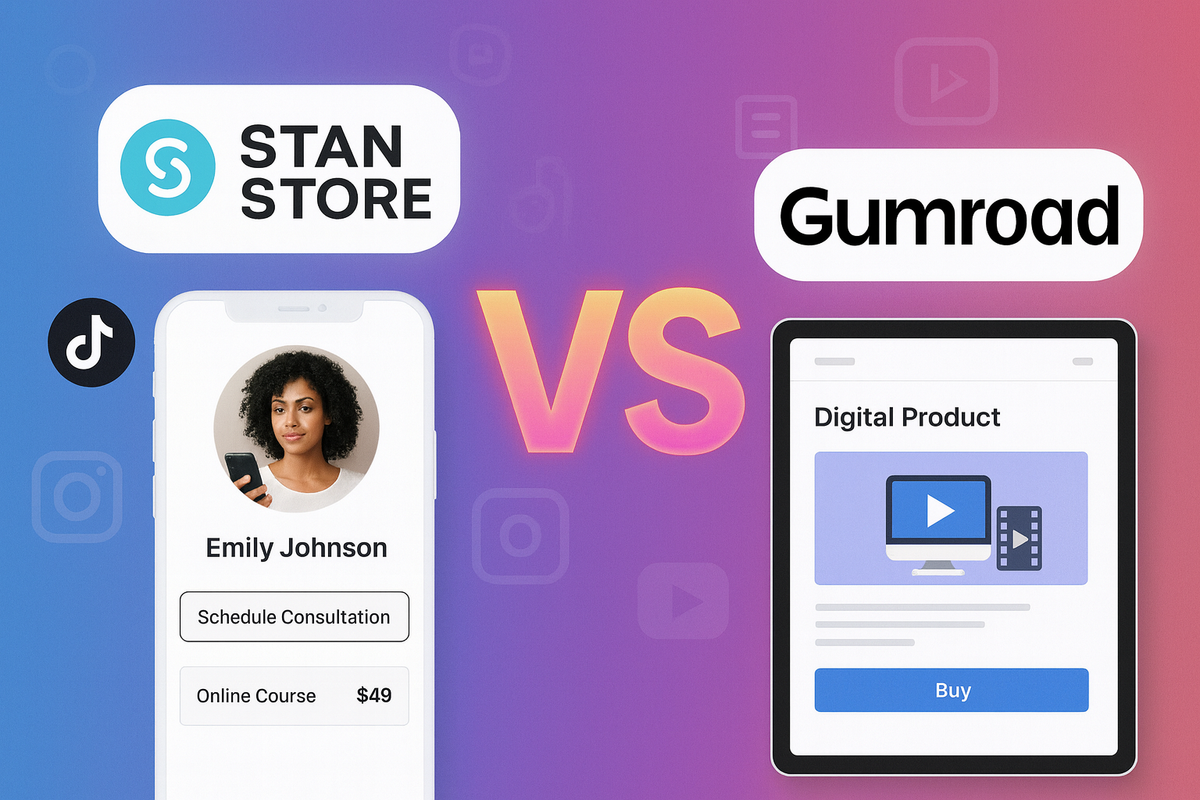
Stan Store is designed for one thing: converting social media followers into buyers as fast as possible. You get a single-page storefront that lives in your Instagram or TikTok bio link. Visitors land on it, see your products, and can buy in just a few clicks — on mobile, without leaving the app. It’s built specifically for the attention span of social media traffic, which is short. It runs on a monthly subscription rather than a cut of each sale, which matters when you’re moving volume; check Stan’s site for the current price.
Stan Store isn’t the right tool if your audience comes from Google or Pinterest search. But if most of your traffic is coming from Reels, TikTok, or YouTube Shorts, the mobile-first checkout is built for exactly that traffic. If you’re building your digital product business through a content-driven AI niche with a social following, Stan Store is worth testing.
Good for: Instagram and TikTok creators with an engaged social following
Fees: Monthly subscription (check the current price)
Main perk: Mobile-first storefront designed for social media conversion
➡️ Click here to read a full Stan Store vs Gumroad breakdown
5. Beacons — All-in-One Creator Hub
Beacons bundles a digital product store, email marketing, a media kit, invoicing tools, and AI content features into one platform. There is a free plan that takes a percentage of each sale, and paid plans that lower or remove that cut. Plans change, so compare them on Beacons’ own pricing page before you commit. For creators who are juggling multiple tools and want to simplify, Beacons is genuinely compelling — store, email, and bio link all in one place can replace several subscriptions.
It’s especially useful if you’re already using a link-in-bio tool and want to add digital product sales to it without building a separate storefront. The email marketing is basic compared to dedicated tools, but for a creator who just wants to capture buyers’ emails and send occasional updates, it does the job. The affiliate feature lets fans and collaborators earn a commission promoting your products.
Good for: Creators who want store + email + bio link in one tool
Fees: Free plan with a sales fee; paid plans reduce it
Main perk: All-in-one platform replaces multiple subscriptions
➡️ Click here to read the full Beacons review from HowSociable
6. Ko-fi — Good for Artists & Casual Sellers
Ko-fi started as a tip-jar for artists and it’s evolved into a lightweight storefront for digital products, commissions, and memberships. Setup is about as simple as it gets — create an account, upload a file, set a price, and share your link. The free plan charges a 5% platform fee on shop sales (tips carry no platform fee), and the paid Gold plan removes that fee; check Ko-fi for the current Gold price. For creators who just want to sell a few products to an existing community without the overhead of a full storefront, Ko-fi is an easy entry point.
The main limitation is that Ko-fi doesn’t handle EU VAT for you, so if you’re selling to European buyers, you’ll need to handle that compliance separately. It also lacks upsell tools and affiliate features. But if you’re an artist, writer, or creator with a loyal following who wants to monetize with minimal friction, Ko-fi is a good fit. It’s also a great supplemental platform alongside something like Payhip or Gumroad.
Good for: Artists, writers, and creators monetizing an existing loyal community
Fees: Free (5% fee on shop sales) / Gold subscription (0% platform fee)
Main perk: Low-friction entry point; payments go directly to PayPal or Stripe
➡️ Click here to read the full Ko-fi Shop review from Creator Stack Club
7. Lemon Squeezy — Good for Software & Digital Tools
Lemon Squeezy is the specialist on this list. It’s built specifically for developers and creators selling software, plugins, SaaS tools, and anything that requires license key generation. As a merchant of record, Lemon Squeezy collects and pays sales tax and VAT on your sales for you. If you’re selling a WordPress plugin, a Chrome extension, a Notion template system, or any software product, it takes a big compliance job off your plate.
The fee is 5% + $0.50 per transaction with no monthly cost (Lemon Squeezy pricing), which is reasonable given the built-in tax handling. For simple digital downloads like ebooks or PDFs, the cheaper options above may suit you better. But for software and digital tools with global buyers, Lemon Squeezy removes the compliance headache that would otherwise require hiring an accountant or a separate tax tool.
Good for: Developers selling software, plugins, or digital tools to a global audience
Fees: No monthly fee; 5% + $0.50 per transaction
Main perk: Handles sales tax and VAT as merchant of record
➡️ Click here to read the full Lemon Squeezy review from Creator Stack Club
8. Sellfy — Good for Scaling Consistent Revenue
Sellfy is where the math starts working in your favor once you’re making regular sales. Instead of paying a percentage of every transaction, you pay a flat monthly fee with 0% platform transaction fees. The Starter plan is $22/month billed yearly ($29 month to month) for up to $10K a year in sales; you still pay the payment processor’s fee. Once your sales pass about $220 a month, that flat fee costs less than Gumroad’s 10% cut. The more you sell, the bigger the difference.
What also makes Sellfy stand out is that it supports print-on-demand alongside digital products from the same storefront — so you can sell a digital planner and a physical mug in the same shop without needing multiple platforms. It includes built-in email marketing and cart abandonment recovery on all paid plans, which are features that directly impact revenue and aren’t always included at this price point elsewhere.
Good for: Creators with steady monthly sales (plans are capped by yearly sales: $10K, $50K, $200K)
Fees: $22–$119/month billed yearly; 0% platform transaction fees
Main perk: Digital + print-on-demand from one storefront with email marketing built in
➡️ Click here to read an honest Sellfy review from Fungies.io
9. Podia — All-in-One for Courses, Downloads & Email
If you want to sell digital products AND online courses AND run a membership AND do your email marketing — from one single dashboard — Podia is a clean way to do it. The interface is genuinely simple. You can go from sign-up to published course in an afternoon with no technical background needed. Email marketing is included on all plans (not an add-on), which makes Podia a legitimate all-in-one tool rather than a product with expensive bolt-ons.
Podia’s plans have changed: its pricing page now lists the Mover plan at $42/month billed yearly with a 5% fee, and the Shaker plan at $84/month billed yearly with no transaction fee. Payment processing is charged on top. Podia doesn’t have Kajabi’s marketing automation depth, but for a creator who wants one simple tool to run their whole digital business, it covers everything that matters. It suits you especially if your digital products include courses or coaching alongside standalone downloads.
Good for: Course creators and coaches who want one tool for everything
Fees: $42/mo (5% fee) / $84/mo (no fee), billed yearly
Main perk: Email marketing included on all plans — no separate tool needed
➡️ Click here to read a detailed Podia review from Blogging Wizard
10. Creative Market — Good for Design Assets
Creative Market is a curated marketplace for design-focused digital products: fonts, Canva templates, Photoshop actions, social media kits, stock photos, illustrations, and graphic assets. Buyers on Creative Market are designers, business owners, and content creators specifically looking for premium, well-designed resources. If that matches what you make, it’s a good place to reach a targeted, purchase-ready audience without building your own traffic.
The trade-off is the commission — Creative Market keeps a percentage of each sale and you need to apply and be accepted to sell there. But for designers who already create high-quality assets, it can be a steady extra income stream. Some sellers list on Creative Market and run their own Gumroad or Payhip storefront, using Creative Market for discovery and directing long-term buyers to their direct store.
Good for: Designers selling fonts, templates, graphics, and creative assets
Fees: Commission on each sale (check the current rate); no monthly fee
Main perk: Targeted marketplace of design-hungry buyers ready to spend
➡️ Click here to learn more about selling design products online from The Wealthy Creative
11. Teachers Pay Teachers — Good for Educators
Teachers Pay Teachers (TpT) is a large marketplace built for educational content. If you create worksheets, lesson plans, curriculum packs, literacy resources, or SEL materials, TpT has an audience of millions of teachers actively buying to supplement their classrooms. It’s a niche marketplace, which means less competition from general digital product sellers and more relevance to buyers who are specifically searching for educational materials.
There is a free seller membership and a paid yearly Premium membership that pays you a bigger share of each sale; check TpT’s seller help pages for the current rates before you choose. TpT isn’t for everyone — it only works for educational content. But if that’s your niche and you’re a teacher, tutor, or homeschool creator, it’s a focused platform with buyers already looking for what you make.
Good for: Teachers, tutors, and curriculum creators selling educational materials
Fees: Free or yearly Premium membership; Premium pays a bigger share
Main perk: Educators actively looking for classroom materials — a very large education marketplace online
➡️ Click here to see what sells on Teachers Pay Teachers
12. WooCommerce — Good if You Already Have a WordPress Site
If you already run a WordPress blog or website, WooCommerce is a natural way to add digital product sales. It’s a free plugin that turns your existing site into a full ecommerce store — with secure file delivery, product pages, discount codes, and payment processing built in. You pay zero platform transaction fees, you own all your customer data, and you control everything from your own hosting. For a blogger who’s already getting traffic, this is often a strong option because you’re not sending buyers to a third-party platform.
The trade-off is that WooCommerce requires more setup and maintenance than a hosted platform like Gumroad or Payhip. You manage hosting, security updates, and plugin compatibility. It’s also not the right tool if you don’t already have a WordPress site — the overhead isn’t worth it just to sell one product. But for a content creator who already has a hobby-based blog making money and wants to add digital products without another subscription, WooCommerce is a cost-effective long-term solution.
Good for: WordPress bloggers and website owners adding digital products to existing traffic
Fees: Free plugin; you pay for your own hosting
Main perk: Zero transaction fees, full data ownership, complete control
➡️ Click here to compare all 12 platforms side by side at Rupa
What Do These Platforms Actually Cost?
Most charge either a percentage of each sale or a flat monthly fee, and payment processing (often around 2.9% + 30¢ through Stripe or PayPal) comes on top. These are the figures I could confirm on each platform’s own pricing page in October 2026. Prices change, so check before you sign up.
| Platform | Monthly fee | Platform cut per sale |
|---|---|---|
| Payhip | $0 / $29 / $99 | 5% / 2% / none |
| Gumroad | $0 | 10% + $0.50 (30% via Discover) |
| Lemon Squeezy | $0 | 5% + $0.50 |
| Sellfy | $22 / $59 / $119 (billed yearly) | 0% |
| Podia | $42 / $84 (billed yearly) | 5% / none |
What I Learned From Selling a Free Product on a Bio-Link Store
One thing fee tables do not show: where your buyers’ email addresses end up. On my crafts site, a free pattern sat as a $0 product in a bio-link store, and every sign-up had to be copied by hand into the newsletter. We fixed it by pointing that link at a newsletter sign-up form instead, so new readers land on the list automatically.
So before you choose, check one thing: can the platform send buyers straight to your email list, or will you be exporting them by hand? The list is what lets you sell to the same people again, which is the idea behind the Content-to-Income System.
Which Platform Should You Start With?
Here’s the short version of everything above:
No audience yet? Start with Etsy if you sell printables or templates, or Gumroad if you want a fast setup with a chance of organic discovery. Both have no monthly fee.
Want a strong free plan? Payhip. Full features, 5% fee, no monthly cost, and EU VAT handled for you. It’s a practical first choice if you’re starting from zero.
Strong social media following? Stan Store or Beacons. Your bio link becomes a checkout page and buyers can buy in under 60 seconds without leaving their phone.
Making consistent sales ($500+/month)? Sellfy or Podia. The flat monthly fee stops costing you a percentage of every single sale, and you start keeping more of what you earn.
Selling software or tools? Lemon Squeezy. It handles sales tax and VAT for you as merchant of record.
Already have a WordPress site? WooCommerce. Zero transaction fees, full control, and you keep your buyers in your own ecosystem.
And remember — you don’t have to pick just one. A lot of successful creators use Etsy for traffic and discovery, and a direct platform (Payhip, Gumroad, Sellfy) for direct sales with better margins. Start simple, see where your buyers come from, and optimize as you grow.
If you’re still figuring out what to create, I’ve got you covered: here are 20 digital products that sell online — beginner-friendly and a good fit for Etsy or any of the platforms on this list.
Questions People Ask
Which platforms have no monthly fee?
Etsy, Gumroad, Lemon Squeezy, Ko-fi’s free plan and Payhip’s free plan all start at $0 a month. You pay a percentage of each sale instead.
What fees do I pay on top of the platform fee?
Usually a payment processing fee from Stripe or PayPal. Podia and Sellfy both quote it as typically 2.9% + 30¢ per transaction, though it varies by country.
Can I sell the same product on more than one platform?
Usually yes, and many sellers use a marketplace for discovery and their own store for repeat buyers. Read each marketplace’s seller terms first, in case a product or programme asks for exclusivity.
Do I need a website to sell digital products?
No. Etsy, Gumroad, Payhip and the bio-link stores host the product page for you. A website helps later, because search traffic and your own email list do not depend on one platform’s rules.
You Might Also Like
- 20 Digital Products That Sell Online (Beginner-Friendly + Good for Etsy)
- What Are Digital Products to Sell Online: Complete Guide
- 6 AI Niches for Beginners to Earn Money in 2026
- Hobbies That Make Money Online
- How to Make Money With AI for Free by Growing an Audience
Get the free VivaMomentum Starter Kit
Discover more from VivaMomentum
Subscribe to get the latest posts sent to your email.