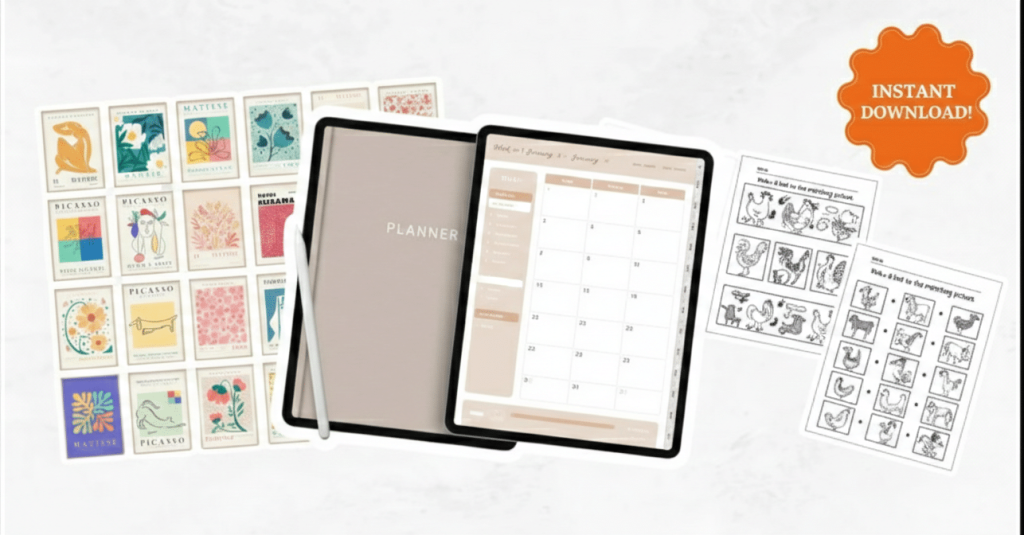
If you’re looking for digital products to sell online, this guide gives you 20 easy ideas that are in high demand, simple to make, and proven to sell on Etsy and other platforms. For each product, you’ll see how it works, who it’s for, and realistic earning ranges to help you turn your creative business idea into real income.
Table of contents
What Are Digital Products (In Simple Words)?
Digital products are files people buy and download instantly, like PDFs, templates, art, videos, or printables. You create them once and sell them many times, with no shipping, no boxes, and no inventory.
They’re amazing if you want selling online ideas that fit into a small business, side hustle, or Etsy shop.
How Much Can You Make Selling Digital Products?
Income depends on your niche, quality, and marketing, but digital products can be very profitable. Many Etsy digital download sellers make anywhere from a few hundred dollars to thousands per month once their shops grow.
Typical price range for basic digital downloads (printables, templates): $10–$50 per product.
Average profit per sale for most simple downloads: $10–$45 after fees, depending on your pricing and bundle size.
Average monthly income for a motivated beginner: $300–$3000+ once you have several good listings and steady traffic.
Use these numbers as a guide, not a promise, but they show how powerful digital products can be.
Your First Digital Product in One Weekend
20 Easy Digital Products To Sell Online (And On Etsy)
Each idea below is beginner‑friendly and works great for Etsy, your own website, or platforms like Gumroad, Sellfy, or Shopify.
1. Printable Planners (Daily, Weekly, Budget)
Printable planners are top digital products to sell online because people always want help organizing their time and money. You can make daily, weekly, school, fitness, or budget planners using Canva.
- Good platforms: Etsy, Shopify with digital downloads, Sellfy.
- Great for: Students, busy parents, small business owners.
- Average Profit Per Sale: $10–$45 for planner bundles and sets.
- Average Monthly Income: $300–$3000+ with multiple planner listings and seasonal sets.
2. Digital Tablet Planners (GoodNotes, Notability)
Digital planners are made for iPads and tablets and used inside apps like GoodNotes or Notability. Buyers love clickable tabs, linked pages, and matching digital stickers.
- Design tools: Canva, Keynote, Affinity, or PDF tools.
- Great for: Tech‑savvy students, teachers, entrepreneurs.
- Average Profit Per Sale: $10–$45, especially for hyperlinked, aesthetic planners.
- Average Monthly Income: $300–$3000+ if you target popular niches like school or business planning.
3. Social Media Canva Templates (Posts + Carousels)
Social media templates help brands post fast without designing from scratch, making them easy digital products to sell. You design posts once, and buyers edit them with their own colors and words.
- Good for: Creative Instagram posts ideas, coaches, Etsy sellers, and bloggers.
- Packs to create: Instagram posts, carousels, ads, and Facebook posts in one bundle.
- Average Profit Per Sale: $10–$45 for multi‑page packs.
- Average Monthly Income: $300–$3000+ combining different niches (beauty, fitness, handmade, teachers).
4. Instagram Story & Reel Cover Packs
Pretty story and reel covers make profiles look clean and “on brand,” so they sell well on Etsy. These are simple vertical designs with icons, short words, or pastel backgrounds.
- Etsy design ideas: Neutral aesthetic packs, pink business packs, boho icon sets.
- Great add‑on: Bundle with post templates for a full branding kit.
- Average Profit Per Sale: $10–$45 for themed packs and bundles.
- Average Monthly Income: $300–$3000+ when combined with other social media template products.
Related
- How to Make Money With AI For Free: Start Here With Zero Budget …
- AI Niches for Beginners to Earn Money
- Content Marketing Analytics Tools
5. Pinterest Pin Templates
Bloggers and shop owners need lots of pins to drive traffic, making pin templates a smart creative business idea. Offer sets of 20–100 pins that people can quickly edit in Canva.
- Niche packs: Food blogs, DIY/crochet, travel, beauty, finance.
- Online marketing ideas: Sell “blog traffic booster” packs with titles, layouts, and CTA spots.
- Average Profit Per Sale: $10–$45 depending on pack size.
- Average Monthly Income: $300–$3000+ across multiple niche packs.

6. Etsy Listing Image & Branding Templates
New Etsy sellers often struggle with product photos, banners, and thumbnails. You can sell ready‑to‑edit Canva templates for listing images, shop icons, and shop banners.
- Great for: People searching “What Can I Sell Online” but needing pro‑looking branding.
- Bundle ideas: Product mockup frames, “sale” banners, feature highlight graphics.
- Average Profit Per Sale: $10–$45 for full “Etsy shop starter kits.”
- Average Monthly Income: $300–$3000+ if you rank for Etsy design ideas and branding keywords.
7. Printable Wall Art (Quotes, Nursery, Seasonal)
Printable wall art is a classic, steady seller for Etsy because people love instant decor. You can create quotes, nursery prints, kitchen art, seasonal and holiday designs.
- Styles: Minimalist text, watercolor, farmhouse, boho, kids’ rooms.
- Creative business idea: Offer sets of 3 or 6 matching prints for higher pricing.
- Average Profit Per Sale: $10–$45 for bundles and multi‑size files.
- Average Monthly Income: $300–$3000+ with many designs and strong seasonal products.
8. Coloring Pages & Coloring Books (Kids + Adults)
Digital coloring pages and full coloring books are growing because they’re relaxing and easy to print at home. You can design simple doodles for kids or detailed pages for adults.
- Niche ideas: Mandalas, animals, affirmations, holidays, “cozy cottagecore.”
- Where they sell: Etsy, Teachers Pay Teachers, your own site.
- Average Profit Per Sale: $10–$45 for full books and themed bundles.
- Average Monthly Income: $300–$3000+ with strong niches and repeat buyers.
9. Kids’ Learning Worksheets & Homeschool Printables
Parents and teachers are always searching for fun learning resources they can download fast. That makes worksheet packs reliable digital products to sell online.
- Topics: Alphabet, numbers, reading, math, science, handwriting practice.
- Platforms: Etsy, Teachers Pay Teachers, your own blog shop.
- Average Profit Per Sale: $10–$45 for subject packs or grade‑level bundles.
- Average Monthly Income: $300–$3000+ with evergreen topics like early reading and math.
10. Budget Spreadsheets & Finance Trackers
Many people prefer editable spreadsheets instead of printed pages for their money. You can create Google Sheets or Excel templates for budgeting, debt payoff, sinking funds, and savings goals.
- Great for: Young adults, families, side‑hustlers, small business owners.
- Online business ideas products: Sell “money makeover” bundles with planner + spreadsheet.
- Average Profit Per Sale: $10–$45, higher for business finance bundles.
- Average Monthly Income: $300–$3000+ with a mix of personal and business finance tools.
11. Ebooks & Mini Guides
Ebooks let you package what you know into a simple PDF or Kindle book. You can write “how to” guides, checklists, or beginner handbooks around your niche.
- Topics: Crochet basics, starting an Etsy shop, Instagram growth, meal prep, mindset.
- Where to sell: Etsy (PDF), Amazon KDP, your website, Gumroad, Sellfy.
- Average Profit Per Sale: $10–$45 depending on depth and bonuses.
- Average Monthly Income: $300–$3000+ with several ebooks and good promotion.
12. Online Courses & Video Workshops
Online courses can be profitable digital products because you can charge more per sale. You don’t need a huge course; even a 60–90 minute workshop can sell well.
- Good topics: Design, crochet, Etsy SEO, social media, blogging, fitness, language.
- Platforms: Teachable, Thinkific, Udemy, Skillshare, or your own site.
- Average Profit Per Sale: Often $30–$200+ depending on topic and depth.
- Average Monthly Income: $300–$3000+ even with a small, focused course if marketed well.
13. Memberships & Digital Resource Libraries
Memberships give people ongoing access to templates, printables, or lessons for a monthly fee. This can turn your digital products into stable, recurring income.
- Examples: Monthly planner club, crochet pattern library, marketing template vault.
- Good for: Creators who can add new content each month.
- Average Profit Per Sale: $10–$45 per month per member for low‑ticket memberships.
- Average Monthly Income: $300–$3000+ with just 30–100 active members.
14. AI Prompt Packs (ChatGPT, Midjourney, etc.)
AI prompts are a newer type of digital product quietly blowing up on Etsy and niche platforms. You sell ready‑made prompts that help people get better results from AI tools for content, images, or business tasks.
- Niche ideas: Social media prompts, blog post prompts, Etsy listing prompts, image prompts.
- Great for: Buyers who want speed without learning prompt engineering.
- Average Profit Per Sale: $10–$45 for specialized prompt bundles.
- Average Monthly Income: $300–$3000+ in trending niches with low competition.
15. Lightroom Presets & Photo Filters
Lightroom presets let people edit photos in one click, which is huge for influencers and small brands. You create a “look” once, then sell it as a .DNG or preset file.
- Target buyers: Instagram creators, Etsy sellers, bloggers who want consistent photos.
- Pack ideas: Bright & airy, moody, warm vintage, product photo presets.
- Average Profit Per Sale: $10–$45 for preset collections.
- Average Monthly Income: $300–$3000+ if you combine presets with other photo tools.
16. Clipart, Icons, and Digital Stickers
Clipart sets and digital stickers are always needed by designers, teachers, and planners. You can create themed packs people use in planners, scrapbooks, and social media graphics.
- Styles: Cute doodles, hand‑drawn icons, seasonal sticker packs, “kawaii” sets.
- Platforms: Etsy, Creative Market, Envato Elements.
- Average Profit Per Sale: $10–$45 for large themed bundles.
- Average Monthly Income: $300–$3000+ with multiple sets and strong keywords.
17. Website & Sales Page Templates
Website templates are more advanced to create but can bring higher income per sale. You design site layouts for platforms like WordPress, Showit, Squarespace, or Shopify.
- Good for: Designers or tech‑savvy creators.
- Product ideas: Home page, sales page, “link in bio” page, full site kits.
- Average Profit Per Sale: Often $30–$200+ depending on platform and depth.
- Average Monthly Income: $300–$3000+ even with a few strong templates.
18. Branding Kits (Logos, Fonts, Color Palettes)
Branding kits help new businesses look professional online from day one. You can bundle logos, color palettes, fonts (with proper licenses), and social templates.
- Great for: Etsy shops, coaches, makers, course creators.
- Online marketing ideas: Sell “brand in a box” kits that include Instagram posts too.
- Average Profit Per Sale: $10–$45 for simple kits, more for custom‑style packs.
- Average Monthly Income: $300–$3000+ combining different niche branding kits.
19. Digital Patterns (Crochet, Sewing, Knitting, Crafts)
Digital craft patterns are a good fit if you already love making things by hand. Buyers get step‑by‑step instructions as a PDF, and you get paid every time someone downloads them.
- Examples: Crochet plushies, sewing bags, knitting hats, embroidery designs.
- Platforms: Etsy, Ravelry, your blog shop.
- Average Profit Per Sale: $10–$45 for pattern bundles or detailed designs.
- Average Monthly Income: $300–$3000+ with a mix of beginner and advanced patterns.
20. Niche Checklists, Trackers, and Life Organizers
Simple checklists and trackers might look “small,” but they’re quick to make and very useful. You can create bundles of printables and fillable PDFs for different life areas.
- Ideas: Cleaning schedules, content planning, product launch checklists, goal trackers.
- Selling online ideas: Group them into “life reset” or “small business starter” bundles.
- Average Profit Per Sale: $10–$45 for bundle packs.
- Average Monthly Income: $300–$3000+ by stacking many small, helpful products.
Simple Next Steps To Get Started
If you’re still asking “What can I sell online?”, pick just one idea from this list that fits your skills and audience. Then:
- Choose a niche (for example, planners for moms or crochet bloggers).
- Use Canva or similar tools to design your first product.
- List it on Etsy or your own shop with clear images and keywords.
- Promote it using creative Instagram posts ideas and Pinterest marketing.
You don’t need a huge audience to start; you just need one strong digital product and the courage to list it.
Discover more from VivaMomentum
Subscribe to get the latest posts sent to your email.