You have published ten articles. You have checked your analytics more times than you would admit. The number is four, and two of those were you.
This is the stage where most people quit, and they quit for a reason that makes sense: they did everything they were told to do, and nothing happened. So let me say the thing that would have helped me most at that point.
Nothing is wrong. New sites wait. Search engines are slow to trust a domain they have never seen, and no amount of effort in month one changes that. The question is not how to make Google hurry. It is what you do during the months while it decides.
That is what this guide is about. It is the order I would follow if I were starting a new site today, in 2026, knowing what the last year has done to both search and social traffic.
Why the waiting happens
When a search engine ranks a page, it is making a bet that sending someone there will make them happy. For a site with years of history, that bet is cheap. For a two-month-old domain with eleven articles, it is a guess.
So new sites get a trial period. A few pages get shown now and then, the results are watched, and trust builds up slowly. This is why the traffic curve for almost every content site is flat, flat, flat, then suddenly not. The people who succeed are mostly just the ones still publishing when the curve turns.
Google says this out loud, by the way. Its own documentation on asking for a recrawl warns that crawling “can take anywhere from a few days to a few weeks,” and that asking does not guarantee your page shows up in search at all. That is not a threat. It is just honesty about how slow the process is. You can read Google’s own page on recrawling if you want it straight from the source.
You cannot skip the wait. You can absolutely get visitors during it, from somewhere else.
First: make sure Google can even find you
Before you chase traffic, check that your pages exist as far as Google is concerned. A surprising number of “my site gets no traffic” problems are really “my site was never indexed” problems, and no amount of pinning fixes that.
Four things, once, and then you can stop worrying about it:
- Set up Google Search Console and verify you own the site. It is free, and it is the only place you can see what Google actually thinks of you.
- Submit your sitemap. On WordPress this is usually your-site.com/sitemap.xml or /sitemap_index.xml. Google recommends a sitemap over submitting pages one by one, and it is a two-minute job.
- Check that you are not blocking crawlers. In WordPress, Settings then Reading, make sure “Discourage search engines” is unchecked. People flip this on while building and forget.
- Look at the Pages report in Search Console after a couple of weeks and see what is indexed.
When you look, you will probably meet a message that scares every new site owner: “Discovered — currently not indexed.” It sounds like a rejection. It is not. It means Google knows your page exists and has not got around to crawling it yet. On a new site this is normal and very common.
The fix is not to hit “Request indexing” over and over. Google says plainly that requesting a recrawl more than once for the same URL will not make it happen faster, and there is a daily quota anyway. The fix is more pages worth crawling, and links pointing at them. Which is the rest of this article.
The order that actually works
Not every traffic source is open to a new site. Here they are in the order they become useful, rather than the order people usually try them.
A note on links: I am not an affiliate for any of the platforms mentioned below, so nothing on this page pays me either way.
1. Pinterest — the one that can work this month
Pinterest is not a social network. It is a visual search engine, and that difference is the whole reason it matters to you.
It does not care how old your domain is. It does not care how many followers you have, and you can have none. A pin is judged mostly on whether it matches what someone searched for and whether people engage with it. A good pin pointing at a three-week-old article can bring real visitors while Google is still making up its mind. That is why I put it first. If you are shy about being on camera, this is the traffic source that does not punish you for it.
Now the honest part, because 2026 has been rough on Pinterest bloggers. Starting around mid-June 2026, a lot of creators watched their outbound clicks fall off a cliff — impressions holding steady, clicks dropping by half or more. Pinterest’s own creator community has thread after thread about it, and they are still open. Nobody outside Pinterest knows the full story. The pattern people describe points at the algorithm getting fussier about matching a pin to the exact thing someone searched for, plus automatic product tagging in some niches pulling clicks away from the link.
So here is how I would hold it: Pinterest is still a fast lever for a brand-new site, and it is not a plan on its own. Treat it as the thing that buys you visitors while the slower channels warm up.
What still works, plainly:
- Make pins 1000 x 1500 pixels. That is the 2:3 ratio Pinterest recommends, and it fills the vertical feed without being cropped. Wider or shorter pins take up less room on screen and get seen less.
- Write the pin title and description like search terms, not captions. Say what the thing is. “Beginner crochet blanket pattern” beats “obsessed with this one.”
- Pin a few times a day, not fifty. Volume stopped being the trick years ago.
- Make several different pins for the same article. Different image, different angle, different headline. You are testing which idea people want, not which article.
- Give it eight to twelve weeks before you judge it. Pins build slowly and then keep working for years.
2. Search — the one worth preparing for now
Search traffic is well worth having, and you will not have much of it for a while. The work you do now decides how big it is when it arrives.
Two things have changed and you should plan around them rather than pretend they have not. In the first four months of 2026, about 68% of Google searches ended without anyone clicking anything, according to SparkToro’s study of real browsing data. And when an AI answer appears at the top, clicks to normal results drop further still.
That sounds like bad news for a new blogger, and for some kinds of article it genuinely is. But it also tells you exactly which topics to avoid.
The two-sentence test. Before you write, ask: could a good answer to this fit in two sentences? “How many grams in an ounce.” “What year did X come out.” If yes, an AI box will eat it and you will never see a click. Write the ones that need your judgement instead — comparisons, walkthroughs, “here is what happened when,” decisions with trade-offs, anything where a real person’s opinion is the point.
Go narrower than feels sensible. If the first page of results is Wikipedia and three national brands, a better article will not save you. Keep narrowing until you find a page you could honestly beat. “Best laptop” is a fantasy. “Best cheap laptop for note-taking in lectures” is a real chance.
If you have not picked a direction yet, that choice matters more than any of this. Here is how I would build a niche website from scratch, including how to choose a topic that still has room in it.
3. Your own site — the traffic source nobody counts
This one gets skipped constantly, and it is free.
When a visitor lands on one article and leaves, you got one pageview. When they land and then read two more because you pointed them there, you got three, from the same amount of effort. On a small site that is the difference between a graph that looks dead and a graph that looks alive.
Internal links also help the indexing problem from the last section. Pages that other pages link to get found sooner than orphans nobody points at.
The simple version: pick three or four articles that are the heart of your site. Every new post you write should link to at least one of them, and they should link back out to the newer posts. You are building a shape, not a pile.
4. Email — the one that stops traffic being rented
Every visitor from Pinterest or Google is borrowed. Platforms change their minds, and when they do, sites that depended entirely on them lose most of their traffic overnight. This is not hypothetical — it happens to someone every few months, and it happened to me. The Pinterest story earlier in this article is exactly that, happening to thousands of people at once.
An email list is the only audience that is actually yours. Start collecting addresses long before you feel important enough to have subscribers. Twenty people who asked to hear from you are worth more than a thousand who wandered past.
You do not need a fancy setup. A signup box, one honest sentence about what people will get, and a short email when you publish something good.
5. Everything else — later, or never
Facebook, Instagram, TikTok, forums, guest posts. All of them can work. None of them should be your focus in the first six months, for one reason: they need constant feeding. A post dies in a day. A pin and a search result keep working while you sleep.
The one exception worth making is showing up where people are already asking your question — a subreddit, a Facebook group, a forum in your topic. Not to drop links. To answer properly, as a person, and let the occasional link be genuinely useful. Done honestly it brings small numbers of very good visitors. Done as marketing it gets you removed, and fairly.
The mistakes that keep new sites at zero
Publishing and stopping. Eleven articles is not a site yet. It is the beginning of one. Almost nothing you can do matters more than still being here in month eight.
Rewriting old posts instead of writing new ones. Tempting, because it feels productive and it is easier. Early on you need volume and range so Google has something to understand you by.
Chasing keywords you cannot win. Covered above, and worth repeating, because this is the single most common way new sites waste a year.
Judging too early. Deciding at week six that a topic “does not work” is deciding before any evidence exists. Give any serious attempt six months.
Reading analytics every day. It tells you nothing at this size and it costs you the enthusiasm you need for writing. Once a week is plenty. Once a month is fine.
Starting over. The most expensive mistake of all. A one-year-old site with sixty articles has trust a new one does not, even when it feels like a failure. Fix it rather than abandon it.
What a realistic first six months looks like
Nobody tells beginners the real numbers, so here they are. These are ordinary, not disappointing.
- Month 1: Almost nothing. A handful of visits, mostly you and your browser. Search Console set up, sitemap submitted, pages slowly getting indexed.
- Month 2: First pins start showing. Maybe a few dozen visitors in the month. You will over-read every one of them.
- Month 3: Pinterest is doing something. Google shows a few impressions in Search Console with nobody clicking. That is fine — impressions are the first sign of life.
- Month 4: One article starts getting a trickle from search. Usually not the one you expected. Pay attention to which, and write two more like it.
- Months 5 and 6: The shape appears. A few articles doing most of the work, a slow climb rather than a spike, and enough data to make real decisions instead of guesses.
If your month four looks like somebody’s screenshot of month four, theirs had a head start you cannot see. Compare yourself to your own month two.
A weekly rhythm you can actually keep
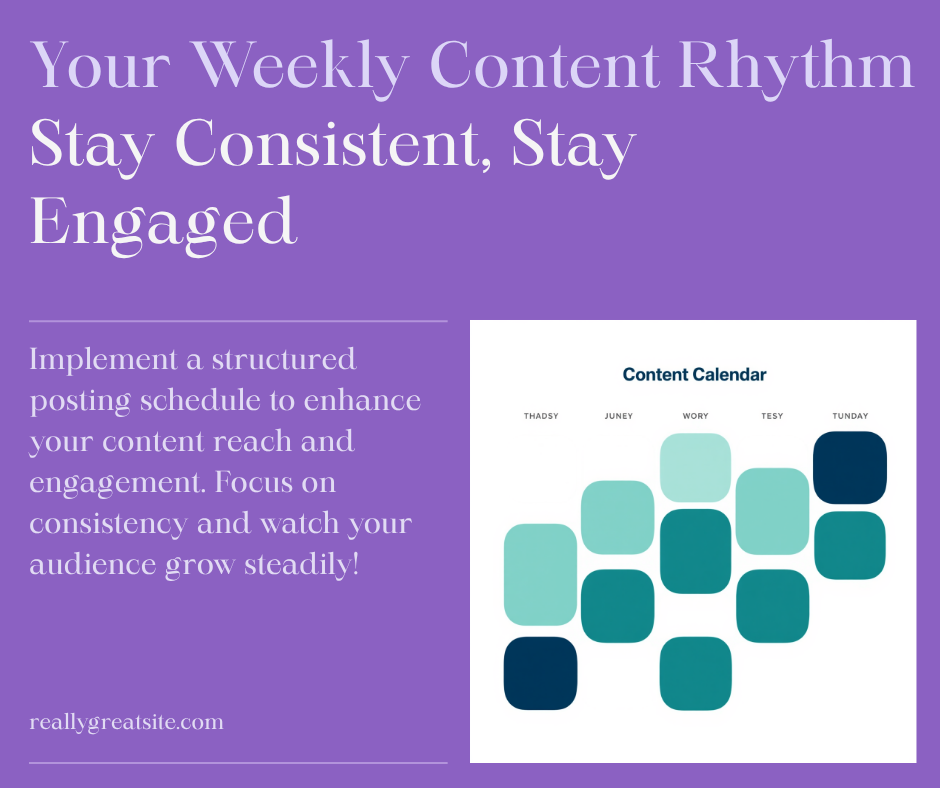
The people who make it are not working harder. They have a routine small enough that a bad week does not break it. Mine looks roughly like this, and it takes a few hours total:
- One article. Written properly, on a topic that passes the two-sentence test.
- Three or four pins for that article, plus a few for older ones.
- Two internal links added — one from the new post to an old one, one from an old post to the new one.
- One email to whoever is on your list, even if that is eleven people.
- Ten minutes in Search Console on a Friday. Not every day. Friday.
Do that for six months and you will have roughly twenty-five articles, a hundred pins and a site with an actual shape. That is a completely different position from where you are now, and it is reachable from a normal life.
Where to go next
Traffic is one part of a bigger loop: you build something, people find it, and eventually it pays you back. If you want to see how the pieces fit together, start with how to use AI to build an online business — that is the map. Then how to make money with a blog covers what happens once these visitors start arriving.
And if today’s number is still four, two of which were you: keep going. That is not failure. That is month one.
You might also like
- Start Here — the short version of everything on this site, in order.
- The Content-to-Income System — how traffic, content and income actually connect.
- How to Build a Niche Website With AI — the first 90 days, step by step.
- Is Pinterest Good for Affiliate Marketing? — the honest answer, with the catches.
- Affiliate Marketing on Pinterest Without a Blog — if you are not ready to build a site yet.
- AI Niches for Beginners — if you still have not picked a topic.
- Why Most People Fail at Making Money Online — worth reading before month three.
Keep reading
More in this topic:
- When to Post on Facebook: How to Find the Right Time for Your Page
- How to Update Old Blog Posts for More Traffic
- Pinterest for Bloggers: The Beginner’s Guide
- Why Pinterest Is a Traffic Source That Doesn’t Punish You for Being Camera-Shy
- Is Pinterest Good for Affiliate Marketing? Find Out Now!
- SEO for Beginners: The Complete Guide
- How to Get Your First 1000 Website Visitors
Get the next build in your inbox
How I actually grow content sites, one practical email at a time. Sign up and get my free guide, Claude in Production. Just want the Starter Kit? Download it here, no sign-up needed.
Discover more from VivaMomentum
Subscribe to get the latest posts sent to your email.