The short answer: digital products are things you make once and sell as a file or as online access, with no stock to ship. The common types are printables and planners, templates (Canva, Notion, spreadsheets), ebooks and guides, online courses, design assets such as fonts and graphics, patterns and tutorials, photo presets, and small software tools. You upload the product to a store or marketplace, the platform takes the payment, and the buyer gets the download link automatically.
This guide is about the selling side: how a sale actually works, how to pick and price your first product, where to sell it, what to do about tax, and the follow-up step most beginners forget. If you want a broader overview of the idea, read What Are Digital Products to Sell? A Beginner’s Guide. If you want a list of concrete product ideas, go to 20 digital products that sell online.
What Counts as a Digital Product?
Anything a buyer receives as a file, a link or a login counts. The table below sorts the main types by how much work the first version takes.
| Type | Examples | Who usually buys | Work for a first version |
|---|---|---|---|
| Printables | Planners, checklists, trackers, wall art | Parents, students, organisers | Low: a few pages in Canva |
| Templates | Canva social posts, Notion dashboards, budget spreadsheets, résumé layouts | Small business owners, creators, job seekers | Low to medium |
| Patterns and tutorials | Crochet, knitting and sewing patterns, recipe collections, step-by-step guides | Hobbyists | Medium: needs testing |
| Ebooks and guides | Short how-to guides, workbooks, swipe files | Beginners in a topic you know well | Medium |
| Design assets | Fonts, icons, illustrations, mockups, stock photos | Designers, bloggers, shop owners | Medium to high: needs a clear licence |
| Courses | Video lessons, email courses, cohort programmes | People who want a result with guidance | High |
| Software and tools | WordPress plugins, browser extensions, spreadsheet calculators | People with one specific, repeated task | High, plus ongoing support |
For a first product, the first three rows are where most beginners start, because you can finish them in a weekend and find out whether anyone buys before you invest months.
How Does Selling a Digital Product Online Actually Work?
A sale has four parts, and a selling platform handles three of them for you.
- The listing. A product page with a title, description, preview images and a price. This is the part you write.
- The checkout. The platform takes the card or PayPal payment and keeps its fee plus a payment-processing fee.
- The delivery. The buyer gets a download link or a login by email straight away, at any hour, without you doing anything.
- The follow-up. The buyer’s email address. Some platforms let you email buyers or send them to your newsletter; others keep that contact to themselves. This part decides whether you can ever sell to the same person again.
Fees differ a lot between platforms and change often, so I keep them in one place and re-check them on the platforms’ own pricing pages: see 12 platforms to sell digital products, with their current fees.
Which Digital Product Should a Beginner Make First?
Make the one that solves one small problem for one kind of person, and that you can finish in a weekend. A narrow product is easier to describe, easier to find in search and easier to judge: it either sells or it does not.
Three questions help you choose:
- What do people already ask you about? Questions from friends, comments on your posts or your own past struggles point at something people want explained.
- Is anyone already selling it? Search Etsy, Gumroad and Pinterest for the product. Several sellers with reviews means there are buyers. Nobody at all usually means no demand, not a gap.
- Can you make a clearly better or more specific version? “Meal planner” is crowded. “Meal planner for one-pot dinners on a budget” is a product someone can recognise as theirs.
If you are stuck for ideas, an AI chat tool is useful for brainstorming the angle, not for deciding demand. There are ready-made prompts for this in 25 AI prompts for starting an online business. Check its suggestions against what people really buy before you build anything.
How Do I Price My First Digital Product?
Price it inside the range that similar products already sell for, based on what the buyer gets, not on how long it took you. A practical way to find that range:
- Find ten listings for the same kind of product on the marketplace you plan to use.
- Note the price of the ones with reviews. Reviews show that people paid that price.
- Place yours in the middle of that range if it is similar, higher if it saves the buyer more time or covers more.
- Consider a bundle: three related files together usually make a more useful product than three separate cheap ones.
Very low prices are tempting for a first product, but they attract buyers who were never likely to buy the next thing, and on platforms with a fixed fee per sale they leave you very little.
Should I Sell on a Marketplace or My Own Store?
A marketplace brings buyers; your own store keeps the customer relationship. Many sellers use both.
- Marketplaces such as Etsy or Creative Market have people already searching for products. You compete with many listings, follow their rules, and usually cannot email buyers outside the platform.
- Your own store on a platform such as Payhip, Gumroad or Lemon Squeezy, linked from your blog or social profiles, brings no buyers by itself. You have to send the traffic, but the buyer’s email is yours.
If you do not have an audience yet, a marketplace gives you a way to test demand. Once you have a blog, a Pinterest account or a newsletter, your own store makes more sense. How to build that traffic is covered in how to get traffic to a new website.
Do I Have to Pay Tax on Digital Product Sales?
Yes. Income from digital products is taxable like any other business income, and sales to consumers can also carry sales tax or VAT. The rules depend on where you live and where your buyers are, so treat this as a starting point, not tax advice:
- In the EU, VAT on digital products sold to consumers in other EU countries is charged at the buyer’s country rate, and the VAT One Stop Shop lets you declare it in one place instead of registering in each country.
- In the US, your profit counts as self-employment income; the IRS self-employed individuals tax center explains what to file.
- Some platforms act as the “merchant of record” (Lemon Squeezy is one): they are the legal seller, and they collect and pay the sales tax and VAT for you. Others leave it to you. Check the platform’s tax page before you choose; for a beginner selling to many countries this can matter more than a small difference in fees.
What I Learned From the Emails That Follow a Sale
The follow-up emails are part of the product, and they need checking as much as the file does. On my crafts site, a free stitch pattern leads to a paid bundle of three pattern PDFs priced at $27. Three automatic emails go out after the free download to introduce the bundle. In October 2026 I found that all three emails still quoted $9. They had been sending since June: 160 emails telling readers a price that was a third of what they met at checkout.
Nothing was broken in the technical sense. The store, the download and the emails all worked; the price was simply written in two places and only one of them was updated. The lesson I took from it:
- Write down every place the price appears: the product page, the emails, your blog posts, pins and social captions.
- When you change the price or the contents, go through that list the same day.
- Buy your own product once a quarter, as a customer would, and read every email that arrives afterwards.
A free product followed by a paid one is a simple, workable ladder for a first digital product business. The free step builds the email list; the emails introduce the paid step. That idea is the core of the Content-to-Income System.
How Will People Find My Digital Product?
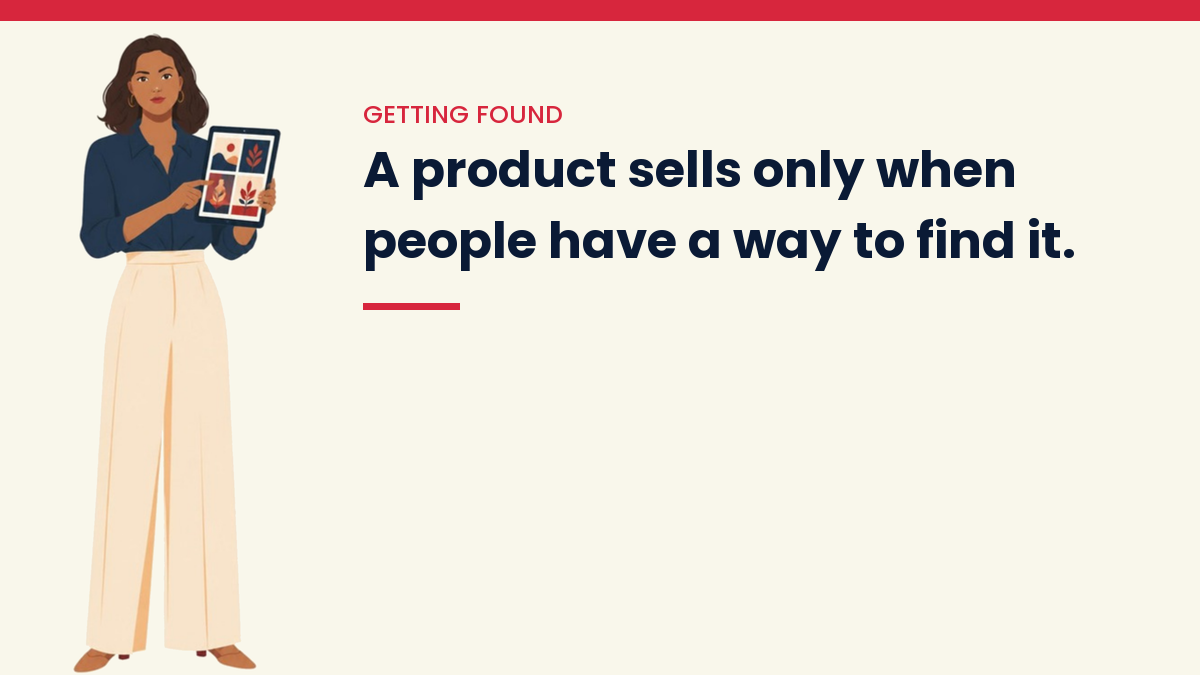
Through search, Pinterest, your email list and, on a marketplace, the marketplace’s own search. A product with no route to buyers does not sell, however good it is.
- Blog posts that answer the problem your product solves, with the product mentioned where it genuinely helps. See how to make money with a blog.
- Pinterest pins that show the product in use and link to the blog post or product page. Pinterest works as a search engine, so pins keep sending visitors long after you post them.
- Your email list, which is the one channel where you decide when people hear from you.
- Marketplace search, where the title, tags and preview images do the work. Use the words a buyer would type, not clever names.
What Mistakes Do Beginners Make When Selling Digital Products?
- Building a big product first. A course takes months; a printable takes a weekend and tells you whether there is demand.
- Using images, fonts or graphics without a commercial licence. Free to download is not the same as free to resell. Read the licence of every asset inside your product.
- Copying another seller’s product. Patterns, templates and guides are protected by copyright; make your own version.
- Promising results the product cannot guarantee, such as income figures or “guaranteed” outcomes. Describe what is inside and who it suits.
- Never collecting emails, so every sale is a one-off.
Questions People Ask
Can I sell digital products without a website?
Yes. A marketplace such as Etsy, or a hosted store on Payhip or Gumroad, gives you a product page and checkout without a website. A website helps later, because blog posts bring search traffic you do not have to pay for.
Can I use AI to make a digital product?
You can use AI to draft, outline and edit, but check every fact and read the platform’s rules: some marketplaces ask you to disclose AI-generated content. The value buyers pay for is your knowledge and your testing, so a product that is only AI output is easy for others to copy.
Do I need to register a business to sell digital products?
It depends on your country. In many places you can start as an individual and declare the income, but some countries require registration from the first sale. Check with your local tax office or an accountant before you start selling.
How do I stop people sharing my digital product for free?
You cannot stop it completely. Expiring download links, a name or licence line on each page, and a clear licence reduce casual sharing. Most sellers find it more useful to keep improving the product and serving the buyers they have.
Start with the full guide: The Content-to-Income System: How to Turn Content Into Online Income
Keep reading
Get the free VivaMomentum Starter Kit
Discover more from VivaMomentum
Subscribe to get the latest posts sent to your email.